Your AI technical director, inside Houdini.
Ask in plain English. Procedra reads your network, proposes the change, checks the result in the viewport and refines it, so you review finished work, not first drafts.
It looks at its own work.
After every change Procedra screenshots the viewport and the network, compares the result with what you asked for and fixes what falls short before it reports back.
You stay in control.
Every change is a proposal you approve, and each applied proposal is a single Ctrl+Z. Risky steps are flagged and always wait for you.
It teaches.
Learning mode explains your network like a patient senior TD. It's read-only, enforced by the app, so it never touches your scene.
Most AI tools stop at the first attempt. Procedra checks its work.
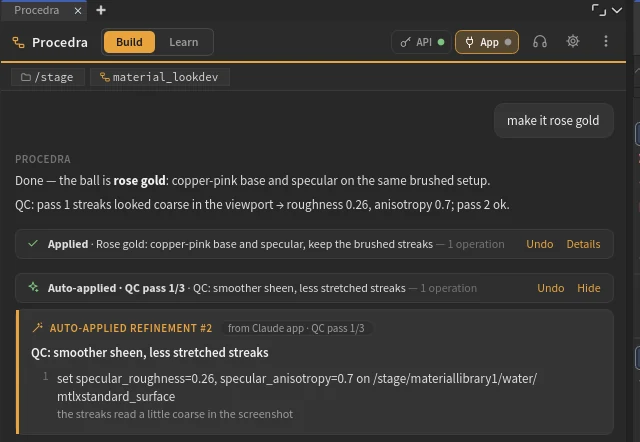
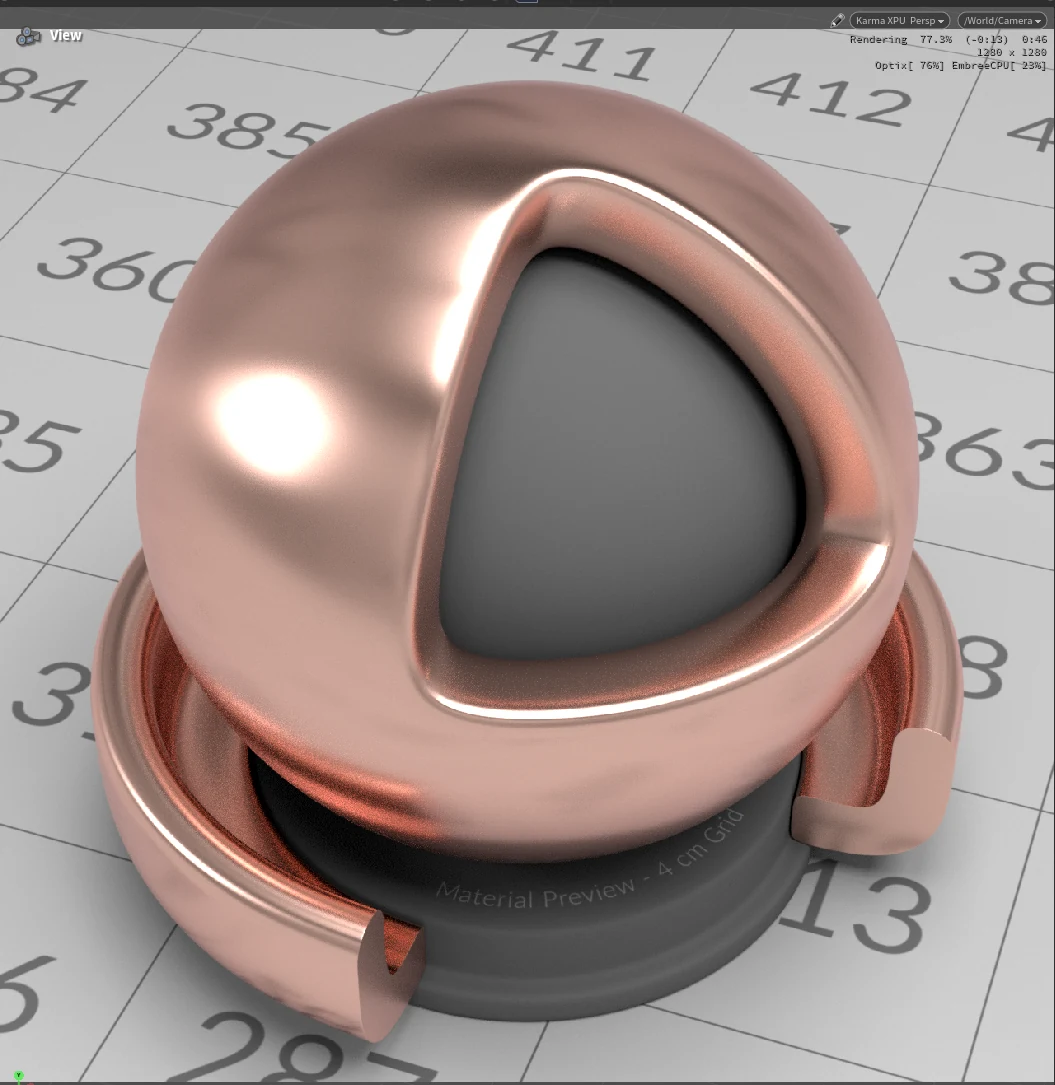
You ask for rose gold. Procedra applies it, looks at the Karma render, decides the streaks read too coarse and refines them, all before it tells you it's done.
- You approve a changeProcedra applies it as one undo step and cooks the network.
- It gathers evidenceA viewport screenshot through your camera, including Karma renders, the network, cook errors, geometry stats and a quick review.
- Claude compares it with your requestToo shallow, wrong colour, broken geometry? It says what's off in one line.
- Safe refinements apply themselvesMarked "Auto-applied · QC pass 1/3". Anything that deletes nodes, runs code or discards work still waits for you.
- You get finished workA short summary with a one-line QC log.
A patient senior TD at your side.
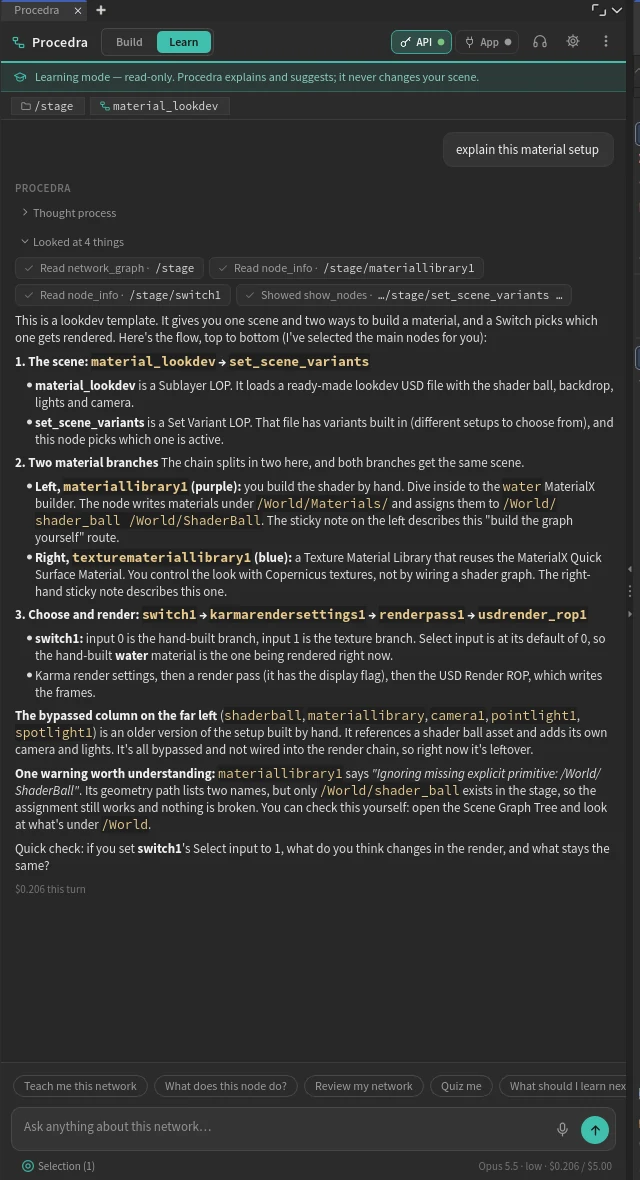
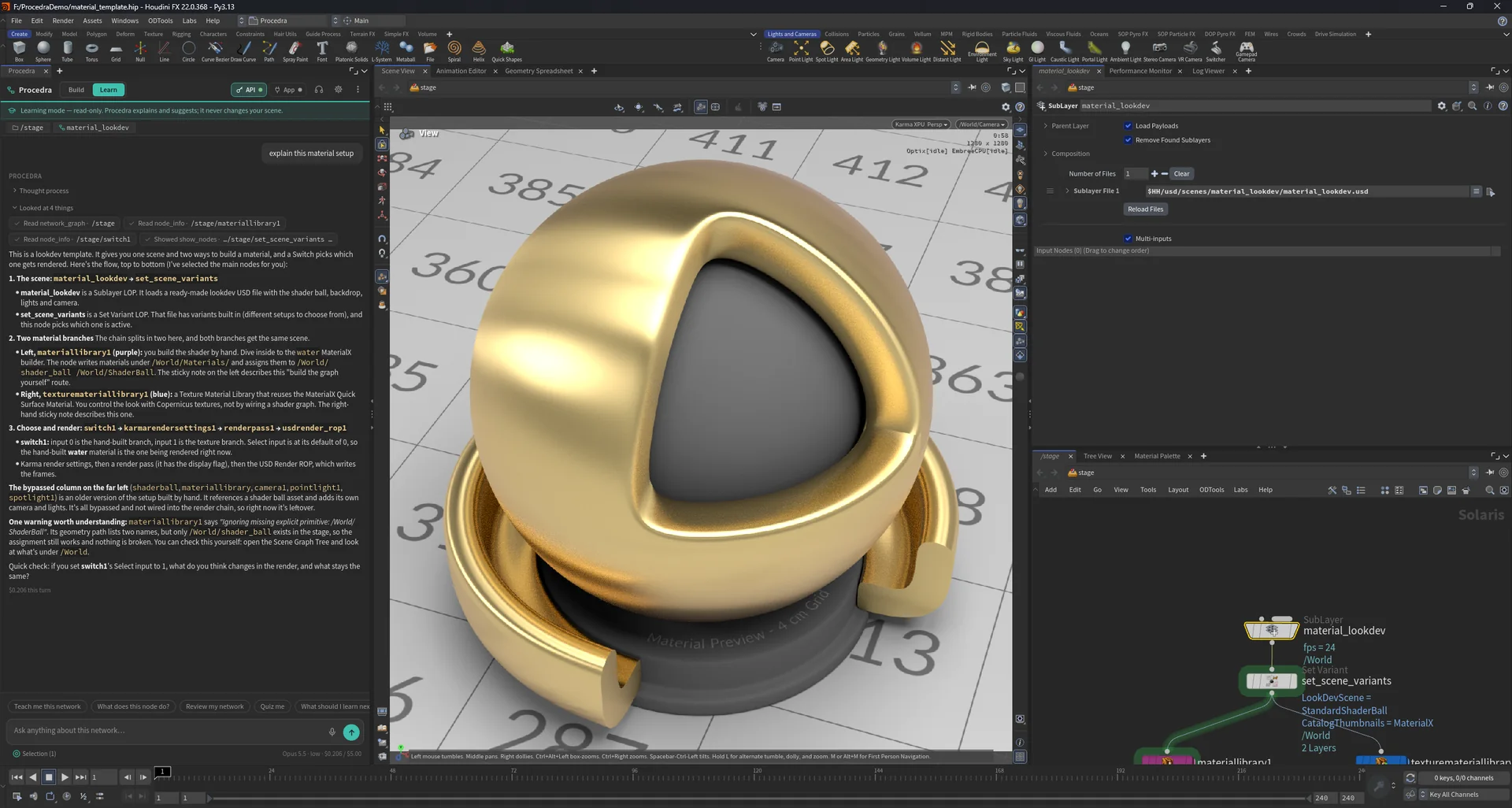
For artists who want to understand Houdini, not just get a result. Procedra reads your actual network and explains it node by node, without ever changing it.
- Read-only, guaranteed. In Learning mode Procedra can't change your scene. The app enforces it, not just the prompt.
- Explains what you're looking at. Walks the data flow and says why each node is there.
- Points while it teaches. Selects and frames nodes in the network editor as it explains them.
- Turns issues into lessons. 28 review checks, from missing pscale to uncached sims and hard-coded paths, each with why it matters.
- Suggests, never applies. "Try it yourself" cards show what to change. You do it, and you learn.
- Quizzes you, and talks with you. Click-to-answer checks, plus an optional hands-free voice class.
From a sentence to a working network.
"Build an asteroid generator." "Make it brushed gold." "Why is this red? Fix it." Claude reads the scene first, then proposes every step in plain language, each with its reason.
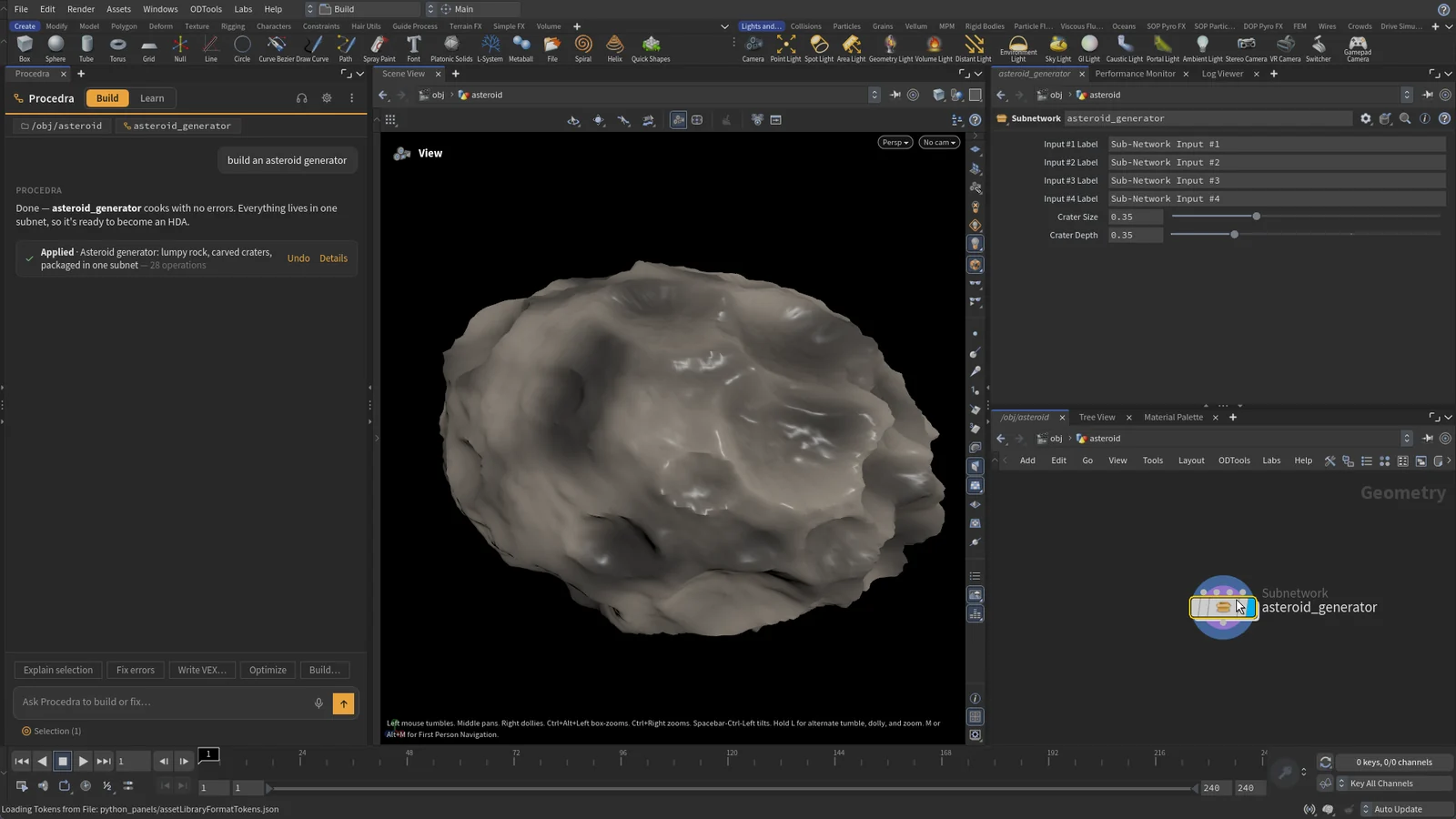
Build from a sentence
"Build an asteroid generator" became a 28-step proposal. Every step had its reason, and one Apply built it, error-free.
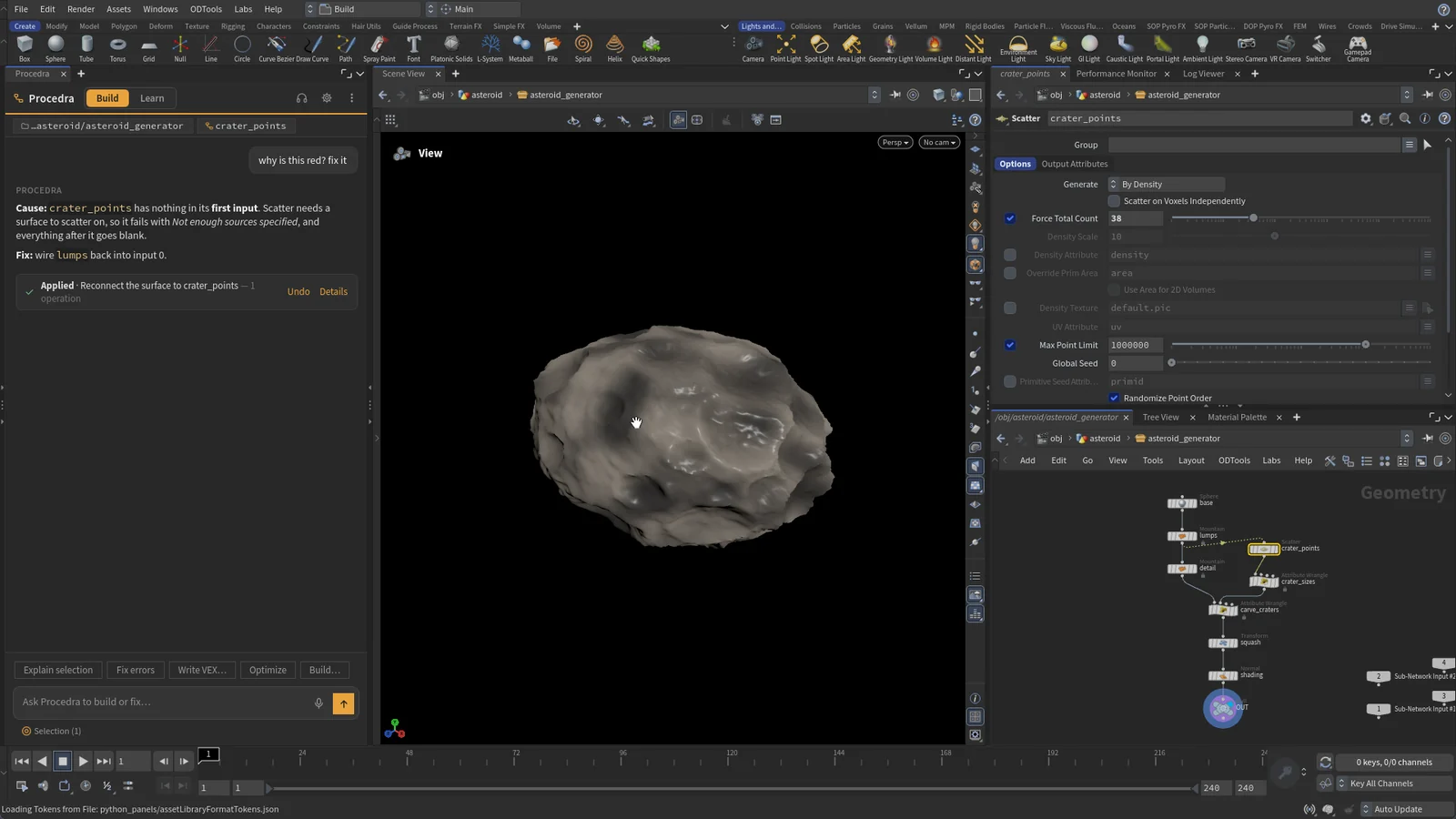
Fix errors
Ask why a node is red. Get the real cause and the smallest fix, then a re-cook to prove it.
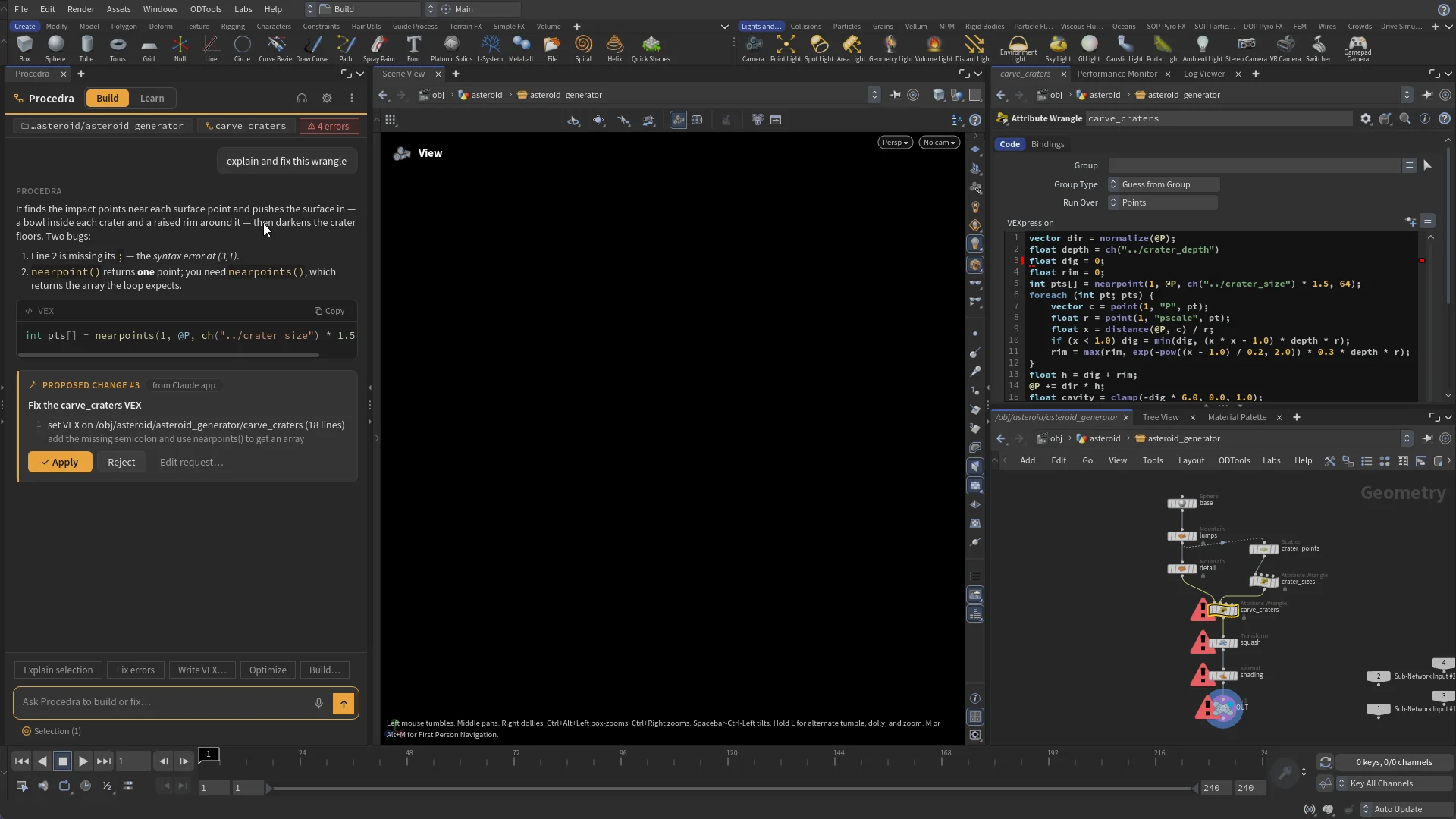
VEX, explained and repaired
Writes, explains line by line and fixes wrangles. VEX is compile-checked in a sandbox before it's proposed.
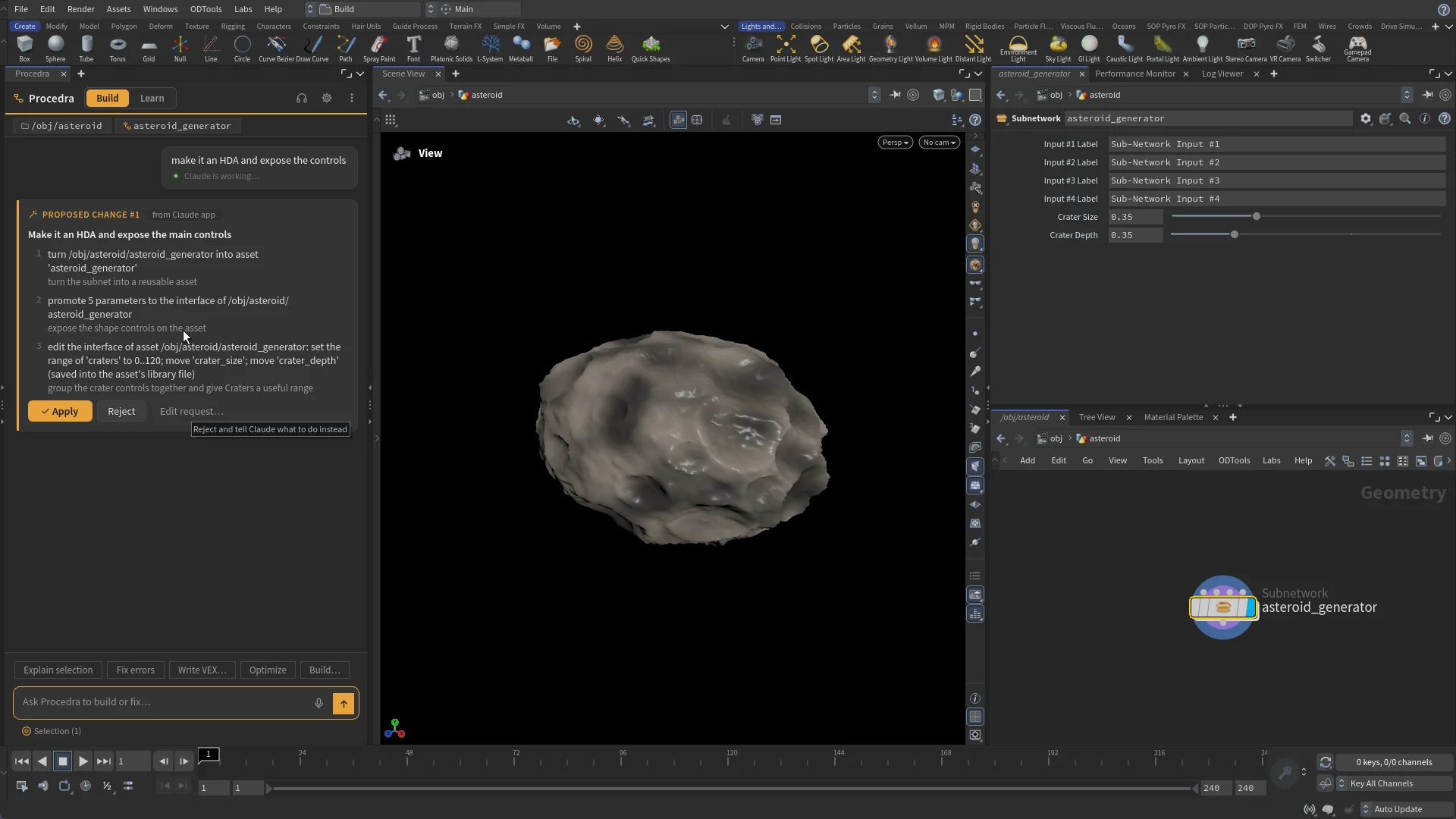
Digital assets
Turns a subnet into an HDA, promotes the right parameters, sets ranges and edits the interface.
Two minutes, one request, finished work.
The live API session behind the hero: Claude thinks, reads the network, proposes, you apply, Karma renders brushed gold and Procedra runs its quality check. Idle pauses shortened; everything else is real.
One Procedra, two ways to connect.
Both routes give you the same Procedra: the same tools, proposals, quality check, Learning mode and voice. Pick the one that fits where you work.

Have both? The API and App chips in the panel header show live status. Click to switch.
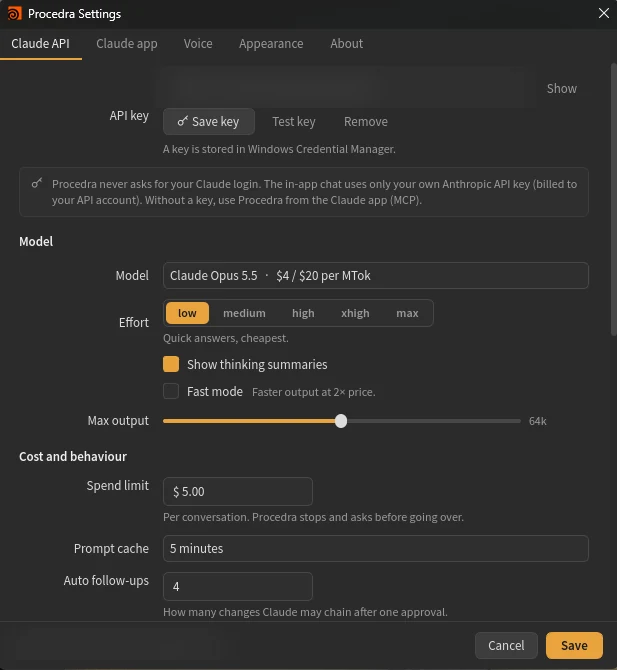
The in-app chat, on an API key
Studio workstations are locked down, but your studio can provide an Anthropic API key. Paste it once and Procedra talks to Claude straight from the Houdini panel. Nothing else to install, usage is billed to the studio's API account, and the key stays in Windows Credential Manager. Choose the model and effort, watch live thinking summaries and see each session's cost.
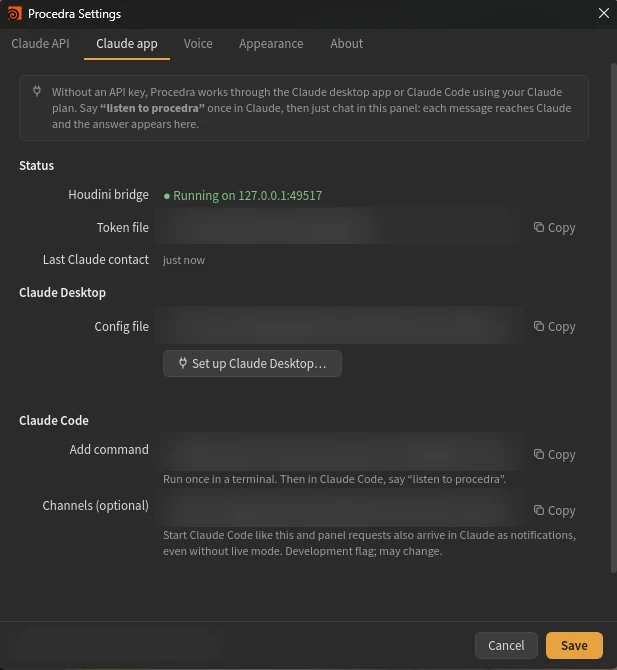
Your Claude app, through the live bridge
Already use Claude Desktop or Claude Code? Link it to Procedra and use the Claude plan you already have, with no API key. Say "listen to procedra" once, then chat in the Houdini panel. Every message reaches your Claude app, and the answer comes straight back into the panel.
Procedra never asks for your Claude login. The in-app chat runs only on an API key, and the Claude app route uses your own Claude app.
Your model, your budget, your rules.
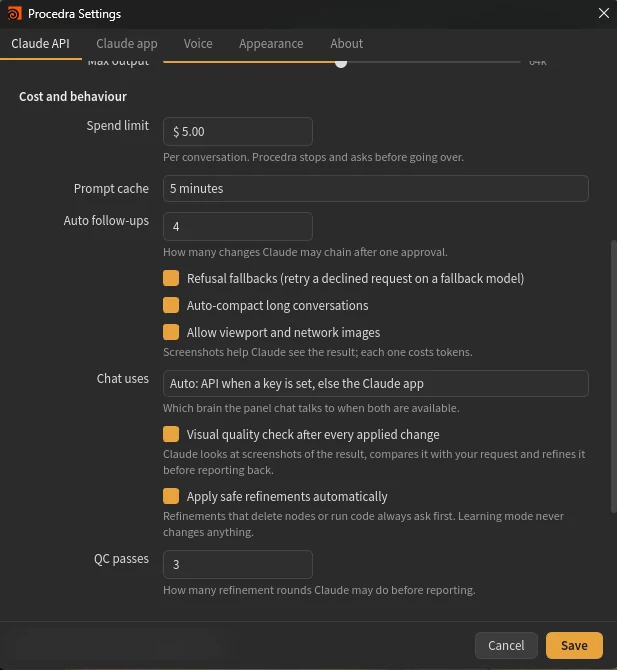
Choose the Claude model and effort, cap spending per conversation, decide whether screenshots are allowed and how many quality-check passes to run. Live session cost sits in the panel footer.
A complete Houdini toolset for Claude.
Procedra ships its own MCP server, so the Claude app gets the same abilities as the in-app chat: scene, nodes, parameters, geometry, VEX, DOPs, USD/Solaris, TOPs, COPs, CHOPs, HDAs, materials, rendering, caches, animation and more. Unlike typical MCP servers, every change still goes through your approval and is one Ctrl+Z.
Built for real production work.
Approval on every change
Changes only happen through proposals you approve, each one undo step. Learning mode is read-only, enforced by the app.
Your key stays yours
The API key lives in Windows Credential Manager. It's never written to scene files, logs or preferences.
NDA-friendly
Turn screenshots off for strict NDA work. "What was sent" shows exactly what left your machine.
Local bridge only
The Houdini bridge listens only on your own computer, with a per-session token.
Private voice
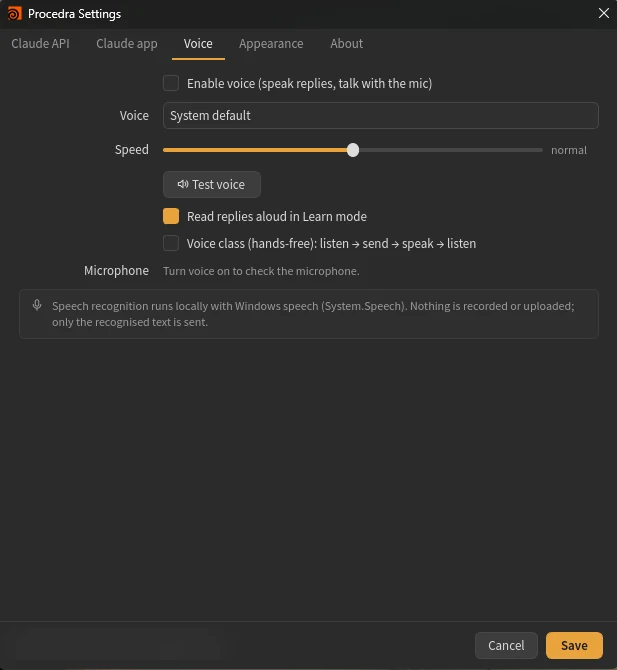
Speech recognition runs locally with Windows speech. Nothing is recorded or uploaded, only the recognised text.
Spend limits
Set a limit per conversation. Procedra stops and asks before going over.
Houdini 22 on Windows. Installs as a Houdini package; the Procedra workspace opens on first launch.
An Anthropic API key. Nothing else to install or keep running.
Claude Desktop or Claude Code with your Claude plan, linked through the live bridge.
Questions, answered.
Something else? Email support@codelliptica.com
Can Procedra change my scene without asking?
No. Every change is a proposal you apply or reject, and each applied proposal is one undo step. The only exception is the quality check's safe refinements, which you can turn off. Anything that deletes nodes, runs code or discards work always waits for you.
What is sent to Claude?
Your request and what Procedra needs to answer it: node types, parameters, errors and geometry statistics. Viewport and network screenshots are sent only while images are allowed, and you can switch that off. "What was sent" lists everything that left your machine.
Do I need an API key or a Claude subscription?
One of the two. With an Anthropic API key, usage is billed to your own API account. Without one, link Procedra to Claude Desktop or Claude Code and use your Claude plan.
How much will Procedra cost?
Pricing isn't decided yet, and joining the beta is free. During the beta you only pay Anthropic for your own API usage, or use your existing Claude plan.
Which Houdini versions are supported?
Houdini 22 on Windows. Other versions, and Blender, are planned.
How do I join the beta?
Email support@codelliptica.com with the subject "Procedra beta" and tell us what you work on. We add Houdini artists in small groups.
Review finished work, not first drafts.
Procedra is in beta with a small group of Houdini artists. Tell us what you build and we'll add you to the next group.